Product Updates: Chartmetric Integration
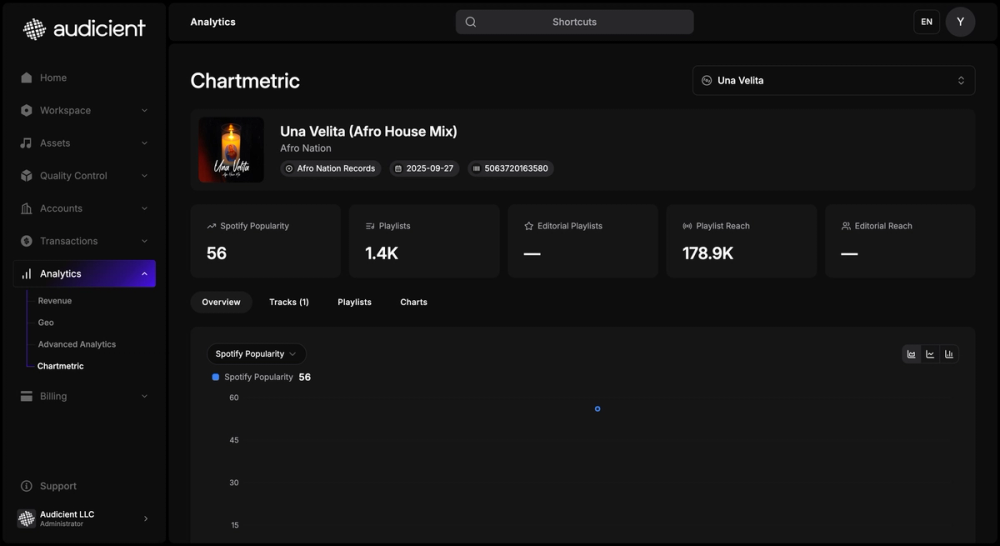
Understanding how a release actually performs — where it's being streamed, which playlists it landed on, how an audience is growing — used to mean leaving the dashboard and stitching numbers together from somewhere else. That changes today: Chartmetric analytics are now built right into your Audicient dashboard.
Here's what's new, why it matters, and how it works.
The problem
Distribution told you a release went out, but not how it was doing once it was live. To see the full picture — streaming trends across platforms, playlist placements, audience and social growth — you had to rely on separate tools and manually match that data back to the right artist and release. It was slow, disconnected, and easy to get wrong.
How it works now
Chartmetric's analytics live alongside your catalogue, mapped to the artists and releases you already manage:
- Open an artist or release to see its Chartmetric analytics directly in the dashboard — no separate login.
- Track streaming performance across platforms over time, so you can see momentum instead of a single snapshot.
- See playlist placements and audience and social growth in the same place you manage distribution.
- Use the data to decide where to push, without exporting or reconciling numbers by hand.
Why it matters
Performance insight now sits next to the release it belongs to. Artists and teams get a clear, trustworthy view of how music is doing the moment it's live — and can act on it — without ever leaving Audicient.
Available today
Chartmetric analytics are live in your dashboard now. As always, we'd love to hear what you think.